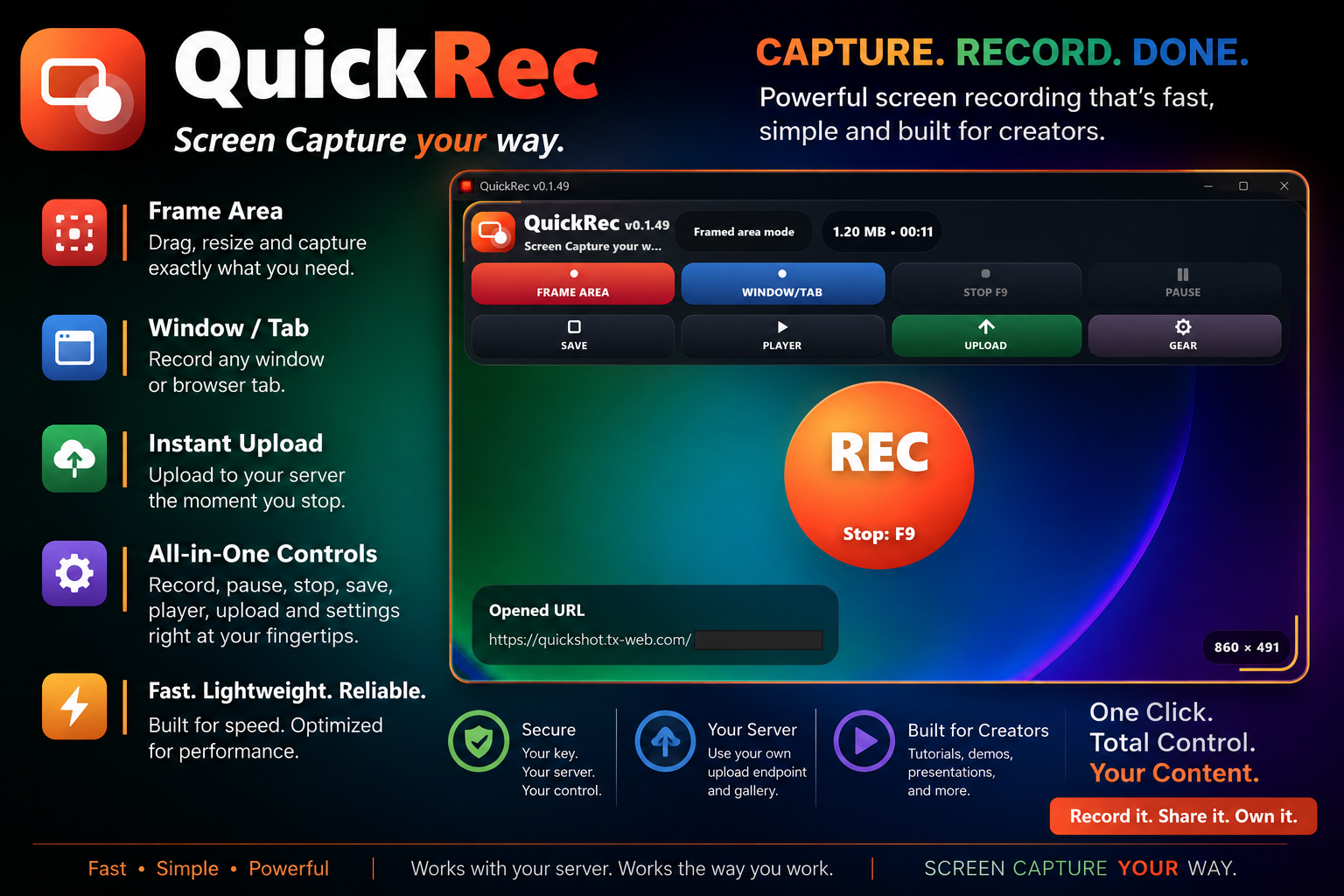
Frame Area
Drag and resize a recording frame to capture exactly the part of the screen you need.
QuickRec
QuickRec is a fast Windows screen recorder built for creators who want a clean capture workflow, local saving, playback, and uploads to their own configured server.
What it does
QuickRec keeps the workflow direct: choose what to record, capture it, review it, save it, and upload it to your own hosting when you want shareable links under your control.
Drag and resize a recording frame to capture exactly the part of the screen you need.
Record a selected window or browser tab when you do not need a custom screen region.
Upload finished recordings to your configured PHP public_html endpoint using your own URL and key.
Record, pause, stop, save, open the player, upload, and change settings from the main toolbar.
Built for quick creator workflows without forcing users into a third-party hosting service.
Control model
QuickRec is positioned around owner-controlled uploads. The app opens the gallery URL the user configures, and uploads use the buyer’s own plain PHP public_html endpoint instead of a locked-in public recording service.
Use a security key with the hosted endpoint so upload access is not casually open to the public.
Record demos, tutorials, presentations, quick support clips, and product walkthroughs.
Included package
| Component | Included | Purpose |
|---|---|---|
| Windows app | Yes | Record frame areas, windows, or browser tabs. |
| Local save workflow | Yes | Save recordings locally before or instead of uploading. |
| Player workflow | Yes | Review recordings from inside the app workflow. |
| Upload support | Yes | Send completed recordings to the buyer’s configured PHP public_html endpoint. |
| Server URL + key settings | Yes | Connect the app to the buyer’s own hosting and security key. |
FAQ
No for local recording and saving. Yes for upload, gallery, and public sharing through your own domain. The web side is designed for ordinary PHP-supported public_html hosting, not a fancy backend stack.
Yes. The gallery workflow should open the URL configured by the user, such as a domain URL with a token or security key value.
The buyer does. Uploaded recordings live on the PHP hosting endpoint they configure, not on a forced third-party platform.